


Posts by TuxTalk

    🌐 Welcome to TekTalkz.com — Official Community Guidelines & Code of Conduct

    Welcome to TekTalkz, the premier hub for tech enthusiasts, developers, hardware tinkerers, sysadmins, and digital pioneers. To keep our forums productive, collaborative, and signal-rich, all registered members and visitors must adhere to the rules outlined below.

    Registration and participation on TekTalkz signify your agreement to these terms. Ignorance of the rules is not an excuse for breaking them.

    🧭 Quick Summary of Core Values

    IconCore PrincipleWhat It Means
    🤝Mutual RespectAttack problems, ideas, and bugs—never each other.
    🛡️Integrity & SecurityNo malicious scripts, piracy, exploits, or black-hat distribution.
    🎯Signal Over NoisePost in the right category, format code properly, and search first.
    ⚖️Transparent ModerationModerator actions are final; follow dispute protocols via DM.

    1. 🤝 General Conduct & Interpersonal Ethics

    • Respect the Community: Treat every member—from day-one novices to senior kernel engineers—with professional courtesy. Harassment, hate speech, racism, sexism, bigotry, doxxing, or personal insults will result in immediate bans.


    • Debate Ideas, Not People: Intense technical debates (e.g., Rust vs. C++, Vim vs. Neovim, Systemd vs. OpenRC) are encouraged, but keep critiques objective, constructive, and free of condescension or ad hominem attacks.


    • No Gatekeeping or Elitism: Avoid dismissive replies like "RTFM" or "Google it." If a question is basic, provide a concise explanation, a direct link to the relevant manual or documentation, or simply pass the thread by.


    • No Trolling or Flamebait: Posts engineered solely to provoke hostile reactions, derail technical threads, or generate outrage will be pruned without notice.

    2. 📝 Posting & Formatting Standards

    • 🔎 Search Before Posting: Use the forum search engine before creating a new topic. If an active thread on your topic exists within the last 60 days, reply there instead of spawning duplicates.


    • 🏷️ Accurate Titles & Categorization:
    • Use descriptive, informative thread titles (e.g., [Arch Linux] Kernel panic on NVMe wake from suspend (6.10.x) instead of HELP PLEASE BROKEN LAPTOP).
    • Always select the correct subforum and appropriate tags (Hardware, Networking, DevOps, Cybersecurity, etc.).

      💻 Code & Terminal Formatting:

    • Wrap all code, stack traces, configs, and shell outputs in markdown code blocks:

      Plaintext

      Code
      ```python
      def example():
          return "Clean syntax only"
      ```
      • For log files or dumps exceeding 50 lines, use an external pastebin service (e.g., GitHub Gist, Pastebin) or a spoiler tag. Do not upload photos or screenshots of terminal text when text copy-pasting is possible.


    • 🚫 No Bumping or Double-Posting: Allow at least 48 hours before bumping an unanswered technical inquiry. Edit your original post using the ✏️ Edit button to add updates rather than posting consecutive replies.


    • 🌐 Language & Readability: TekTalkz is primarily an English-language technical forum. Ensure posts are readable, avoid l33tspeak, and avoid excessive use of all-caps or clickbait titles.

    3. 🛡️ Security, Piracy & Legal Policies

    • Zero Tolerance for Warez & Piracy: Do not share, link to, request, or discuss cracked software, torrents, activation keys, bypass loaders, or unauthorized media.
    • Black-Hat Activities & Malware:
    • Any sharing of live botnets, ransomware binaries, credential stealers, phish kits, or zero-day exploits intended for malicious use will lead to immediate account termination and potential notification of service providers.
    • Ethical Hacking & Vulnerability Research: Proof-of-concept (PoC) security discussions, CTF walkthroughs, and defensive remediation analyses are permitted solely under responsible disclosure ethics and within standard educational boundaries.
    • Confidentiality & Non-Disclosure (NDA): Do not leak proprietary corporate codebases, unreleased NDA-protected firmware, or private API keys.

    4. 📢 Self-Promotion, Advertising & Commercial Content

    • No Unsolicited Advertising: Dropping affiliate links, referral codes, commercial software links, or crypto scams is strictly forbidden.
    • The 90/10 Rule for Developers: Indie devs and open-source creators may share their projects in the dedicated Showcase & Projects forum, provided they maintain at least a 90% organic contribution rate across the community outside of self-promotion.
    • No Automated AI Scraping or Spam Bots: Directing bots to mass-post AI-generated filler, spam backlink profiles, or scrape user profiles via automated scrapers is blocked at the gateway level.

    5. 👤 Account Security & Profile Assets

    • One Identity per Member: Each user is permitted exactly one account. Creating secondary burner accounts (sockpuppets) to circumvent warnings, suspensions, or forum reputation checks will trigger an IP and hardware ID ban across all linked profiles.


    • Avatars, Signatures & Handles:
    • Keep avatars and profile assets SFW (Safe for Work).
    • Signatures may contain up to two outbound links (no affiliate redirects) and must not exceed 100 pixels in vertical height. Flashing animated GIFs are prohibited.


    • Account Privacy: Never post private phone numbers, home addresses, personal communication logs, or private PM screenshots without the express consent of all involved parties.

    6. ⚖️ Moderation, Enforcement & Penalties

    Moderators and system administrators volunteer their time to protect the health of TekTalkz. We operate on a tiered strike ladder:

    Code
    [Level 1: Notice] ──► [Level 2: Temp Mute] ──► [Level 3: Suspension] ──► [Level 4: Permanent Ban]
    (Informal DM / Mod Note)     (24h - 7d Read-Only)            (30-day Account Lock)            (Total Expulsion)
    1. Informal Caution: Minor first offenses (wrong section, unformatted logs, borderline tone) receive an automated note or polite DM adjustment.
    2. Formal Strike (1-2 Points): Issued for direct disrespect, minor spam, repetitive bumping, or deliberate off-topic derailment. Incurs a 24- to 72-hour read-only mute.
    3. Account Suspension (3 Points): Temporary ban spanning 7 to 30 days for gross misconduct, targeted flaming, or bad-faith behavior.
    4. Permanent Expulsion: Applied immediately for malicious payload delivery, piracy distribution, doxxing, identity theft, or burner-account evasion.

    Disputing an Action: Do not create public threads to dispute a moderator action. Submit an appeal through the Help Desk / ModMail ticket system or send a private direct message to the Lead Moderation Team with the relevant thread link.

    TekTalkz reserves the right to amend these terms at any time. Significant updates will be highlighted via site-wide announcement banners.
    The latest interim release of Ubuntu previews privacy conscious speech-to-text, enables post-quantum package signing, completes the rollout of Rust coreutils, and improves enterprise identity integration.

    October 15, 2026

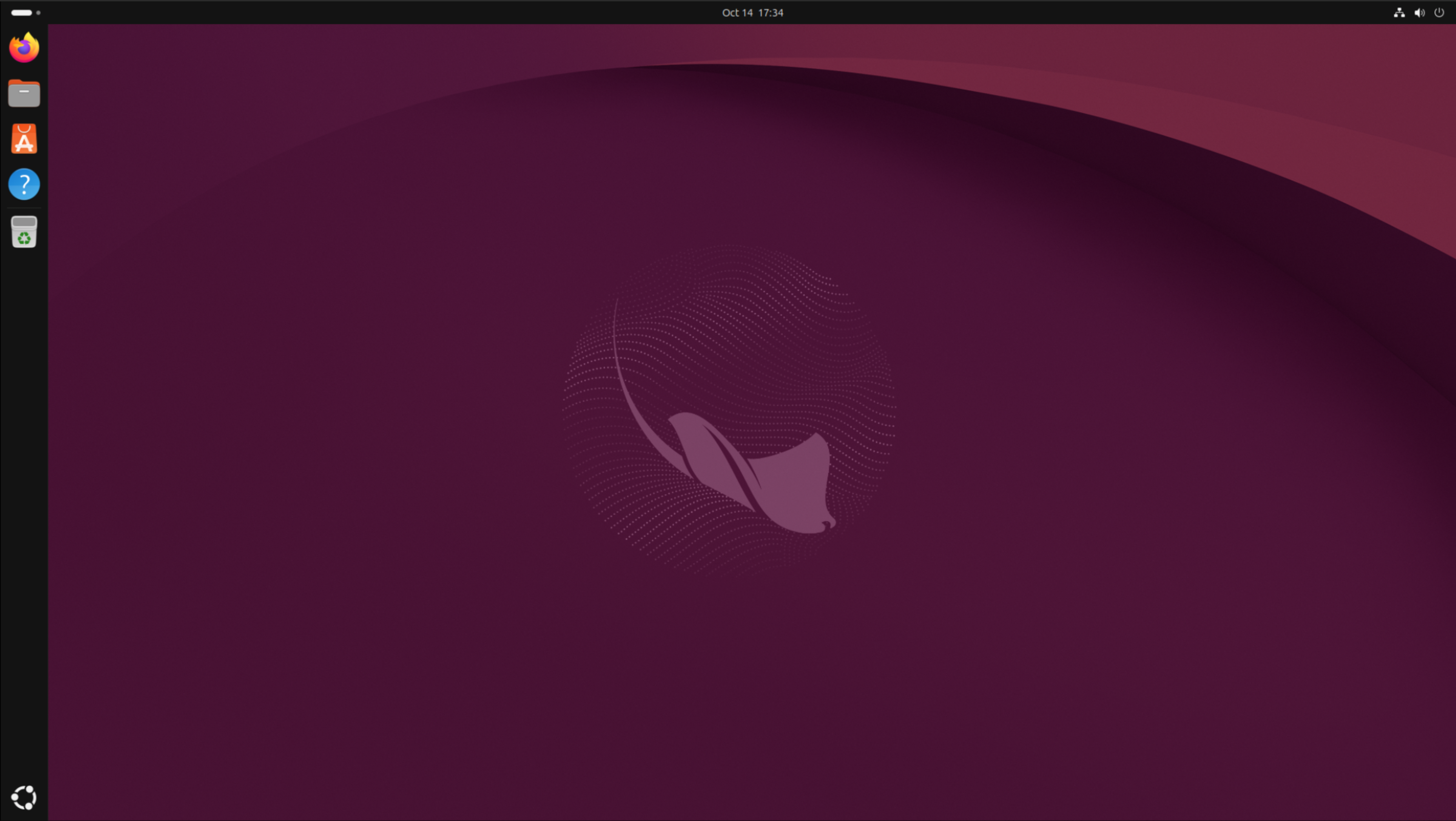
    Today Canonical announced the release of Ubuntu 26.10, codenamed “Stonking Stingray,” available to download and install from ubuntu.com/download.

    Building on previous releases, Ubuntu 26.10 advances enterprise security features, completes the rollout of the Rust-based uutils coreutils, and strengthens integrations for user authentication using Microsoft Entra ID. Ubuntu 26.10 also introduces post-quantum package signing, demonstrating that interim releases both build on established ground, and look towards the future.

    Quote

    Earlier this year, we set out a roadmap for AI on Ubuntu. Stonking Stingray delivers the first milestone through the integration of Myna: a speech-to-text agent that utilizes on-device LLMs. We’ve led Ubuntu’s first AI integration with accessibility to ensure that cutting-edge features are available to all users from day one.

    Users will also benefit from enhanced security features. Ubuntu 26.10 completes the migration to Rust-based coreutils, and broadens device support for TPM-backed FDE. Stonking Stingray is symbolic of Ubuntu’s journey to not just build up, but also build out.

    Jon Seager, VP of Ubuntu Engineering at Canonical

    Download Ubuntu 26.10 for freeRegister for Ubuntu Summit 26.10 ›

    Elegance and accessibility with new speech-to-text agent

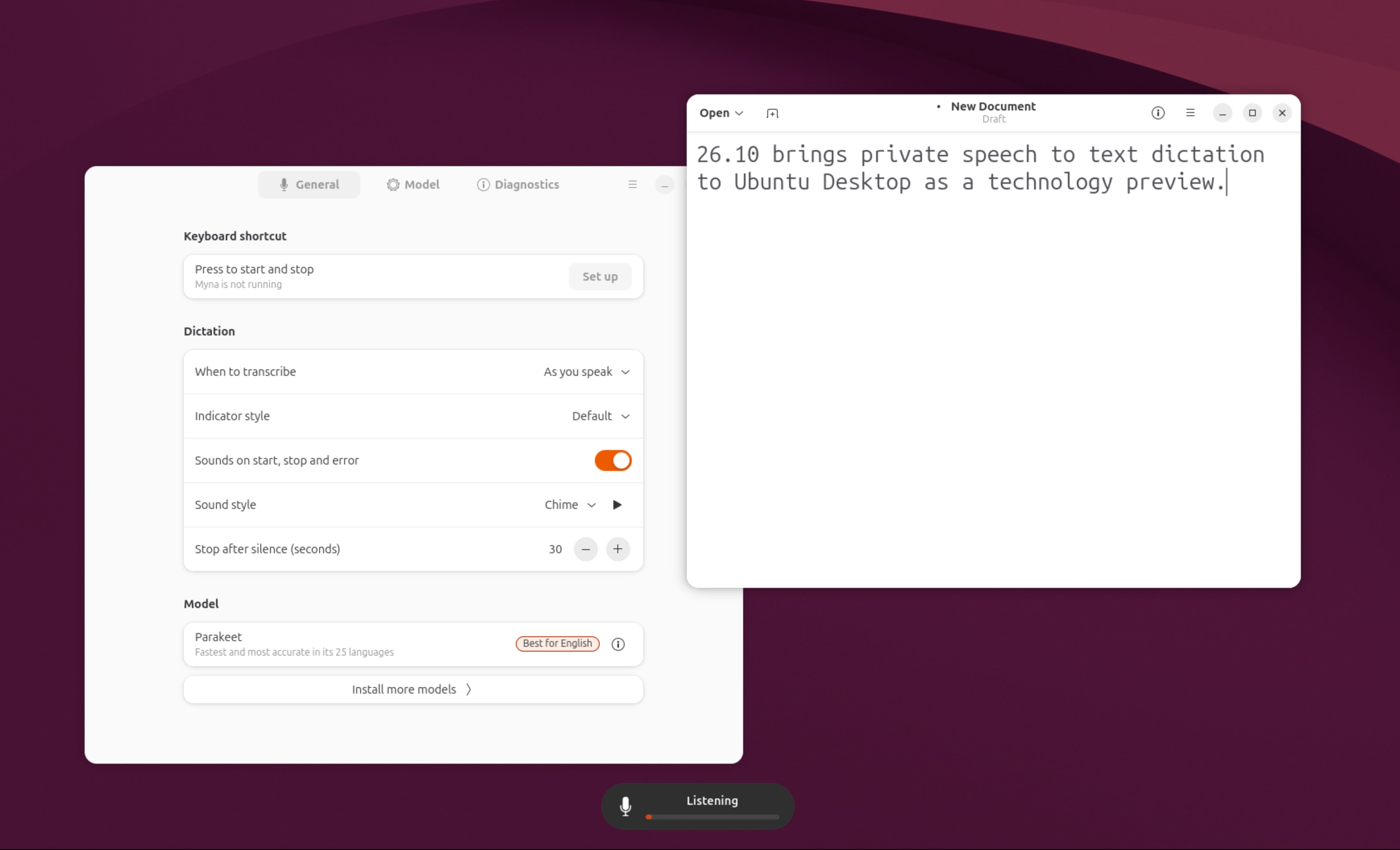
    Stonking Stingray brings us the debut of Myna: Ubuntu’s speech-to-text agent. Named after the Myna bird (known for its ability to mimic human speech), Myna is an opt-in feature in Ubuntu 26.10, designed to provide speech recognition with clear visual feedback while you speak. Based on local models, Myna offers speech-to-text, without sacrificing privacy. Myna will continue to evolve and as Ubuntu 28.04 LTS approaches, it will be included by default with Ubuntu.

    Myna marks the first step towards a more natural, intent-driven Ubuntu Desktop experience that will enable users to express what they want to achieve, rather than manually navigate applications and settings. For example, a developer could simply say, “Help me investigate why my tests are failing,” and Ubuntu could analyze test results, locate relevant code, and prepare a workspace with the tools and information needed to troubleshoot the issue.

    Ubuntu 26.10 also ships with GNOME 51, bringing a smoother, more responsive desktop, better display handling, improved accessibility, and refinements across core applications. In addition, the Ubuntu App Center now provides a more consistent experience for managing snaps and debs.

    Users of assistive technology will benefit from improved support for Flutter applications, with assistive technologies like Orca (screen-reader) now able to better parse and understand the content included in Flutter applications.

    This release also brings reliability enhancements to the desktop userspace layers. Ubuntu 26.10 adopts dbus-broker as the default D-Bus implementation, replacing legacy message queuing between apps with strict per-app message accounting, ensuring a single app can’t stall the desktop. Additionally, desktop OOM (out-of-memory protection) scoring has been adjusted to better manage–memory pressure in userspace.

    Security for present and future threats

    Ubuntu Desktop now integrates more naturally with Microsoft identity services, including password with Multi-Factor Authentication (MFA), and passwordless authentication. This ensures devices can authenticate securely by default, and under the same security umbrella as Windows devices in the same organization.

    TPM-backed full-disk encryption, which was rolled out in Ubuntu 26.04 LTS, has been expanded to encompass hardware models lacking a Hardware Root of Trust, with users being able to require a PIN or passphrase. These features ensure that users can use Ubuntu with best practice security enabled by default.

    Ubuntu 26.10 delivers post-quantum ready package signing, by replacing GnuPG with Sequoia PGP to verify APT repository signatures. Sequoia brings Rust’s memory-safe practices to package signing and acts as a barrier to the threat of quantum cryptographic attack attempts. Ubuntu 26.10 introduces quantum-safe token support via openCryptoki, providing robust PKCS #11 V3.2 coverage across multiple token types, including Soft, EP11, and CCA tokens with ML-DSA and ML-KEM integration.

    A new kernel. The latest hardware.

    Ubuntu 26.10 brings Linux kernel 7.3, which facilitates hardware enablement for the latest silicon, such as Intel Xe3P (Nova Lake), AMD Zen 6, and NVIDIA 615. As heterogeneous platforms like these span CPU cores, GPUs, and media decoders, the latest kernel brings the direct rendering management and power management hooks needed for these components to perform.

    Kernel 7.3 also enhances the way data is handled at the software level, through out-of-the-box support for Lustre, a parallel distributed file system designed to transfer massive datasets simultaneously across thousands of corporate nodes.

    Ubuntu 26.10 continues the tradition of delivering architecture-focused enhancements. Stonking Stingray will launch with a dedicated installer for amd64v3 hardware, ensuring that users with modern platforms get an optimized experience. For RISC-V users, Ubuntu 26.10 brings desktop images, complementing the work that had already been done to do so with Server images. This includes support for the first RVA23-enabled RISC-V hardware, the SpacemiT K3, ensuring that developers can meet the new standard with confidence on a stable OS. Together, these enhancements streamline setup for developers building on cutting-edge silicon.

    Quote

    2026 is the year of RVA23 silicon, so I’m thrilled to see desktop image support arrive for RISC-V in Ubuntu 26.10. It brings the power of the RVA23 profile to everyday applications including productivity, online meetings, video streaming and software development.

    Andrea Gallo, CEO of RISC-V International

    A speedy path to AI and software development

    Beyond hardware enablement, Stonking Stingray also delivers enhanced support for running accelerated AI workloads. Ubuntu 26.04 LTS brought ROCm (AMD’s AI enablement stack for AMD hardware) into the Ubuntu archive. Ubuntu 26.10 upgrades that to the latest major version with support for ROCm 10.0. ROCm 10.0 adds support for new GPU architectures and serving frameworks like vLLM and SGLang.

    Canonical releases Ubuntu 26.10 Stonking Stingray | Ubuntu
    The latest interim release of Ubuntu previews privacy conscious speech-to-text, enables post-quantum package signing, completes the rollout of Rust coreutils,…
    ubuntu.com